
Pak Urdu Installer Free Download
Published 56 minutes ago | By Nouman Shakeel

Working in Urdu on a computer is not a difficult task these days, but there was a time when setting up Urdu fonts and keyboard layouts on Windows was considered a very complicated task. This is where the name “Pak Urdu Installer” came into being, which became a very popular and trusted tool for Urdu users in Pakistan and around the world. In this article, we will learn in detail what Pak Urdu Installer is, why it is used, how to download and install it, and useful information related to its use.
What is Pak Urdu Installer?
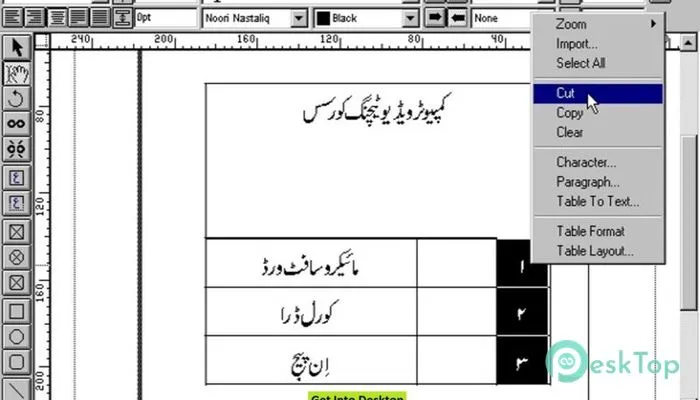
Pak Urdu Installer is actually a small but very useful software package that is used to enable full support for Urdu language in Windows computer. It includes Urdu fonts, Urdu keyboard layout (both phonetic and CRULP) and necessary system settings, with the help of which the user can start typing in Urdu on his computer without any additional hassle. It was specially developed for those users who needed to type Urdu in Microsoft Word, Excel, PowerPoint or any other program.
Why is this software needed?
In older versions of Windows, especially Windows XP and Windows 7, Urdu language support was not available by default. Users had to download fonts separately to write in Urdu and set the keyboard layout manually, which was not an easy task for a common user. Pak Urdu Installer has reduced this entire process to just a few clicks. The user just has to download the installer, run it, and within a few seconds the entire system is ready for Urdu typing. This is why this tool has been popular among students, teachers, journalists, office workers, and ordinary home users alike.
Key Features of Pak Urdu Installer
Here are some key features of Pak Urdu Installer:
- No need to pay any money to use it.
- The installation process is completed in a few minutes.
- Phonetic keyboard (according to the sound of English letters) and CRULP keyboard, both are available.
- Nastaliq and other popular Urdu fonts are installed automatically.
- Urdu can be written without any problems in programs like Word, Excel, PowerPoint and Notepad.
- It works on most systems from XP to modern Windows versions.
How to download Pak Urdu Installer
If you want to get Urdu typing facility on your computer, follow the steps given below:
- First, open our Pak Urdu Installer Free Downoad Page.
- Click on the download button and save the file to your computer.
- The download button is given below.
- After the download is complete, open the file and run it with the "Run as Administrator" option.
- Follow the instructions on the screen step by step.
- After the installation is complete, restart the computer so that all the changes take effect.
Click Here to Download
How to enable Urdu after installation?
After the installation is complete, you will see a language icon at the bottom right of the screen. By clicking on this icon, you can easily switch between English and Urdu. This switch can also be done by pressing "Alt + Shift" on the keyboard. After that, you can open any program and start writing in Urdu.
Some important precautions when using
- Always download software from our website.
- Keep your computer's antivirus updated before installation.
- If you are using a modern version of Windows, it is better to first check the built-in Urdu language pack in the Windows settings of the system, as sometimes this option is already available.
Conclusion
Pak Urdu Installer has made the process of using a computer in Urdu very easy and accessible to the common man. Whether you are a student, working in an office or want to write in Urdu at home, this software provides a reliable and free solution. By following just a few steps, you can make your computer completely Urdu-friendly and work in your native language without any hindrance.














Comments